

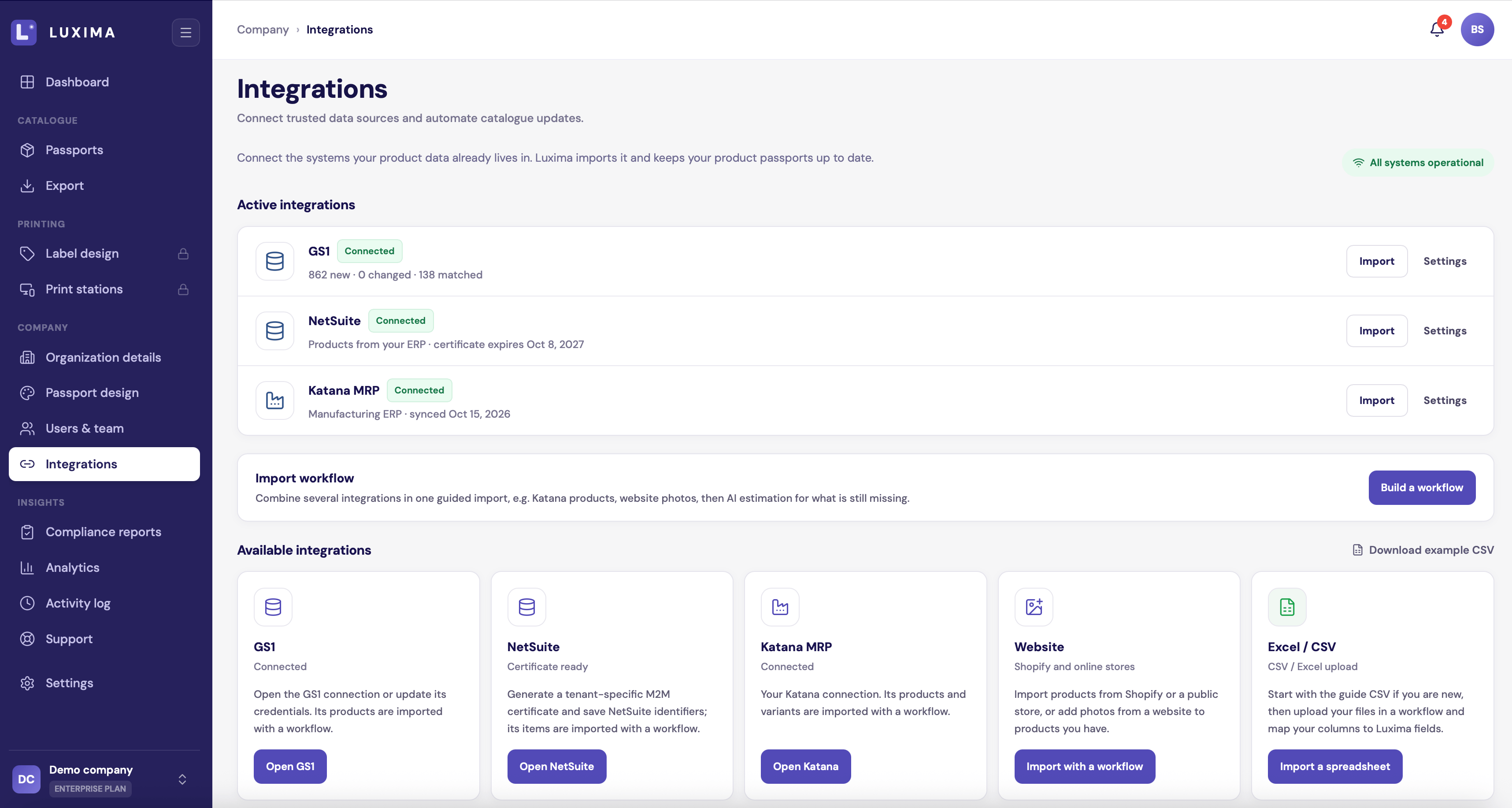
The Integrations page with three sources connected
The sources
Sources work together
You do not have to pick one. An import workflow reads several sources and merges them into one set of products. For example:- Website only. LUXIMA imports what your website shows.
- Website and Excel. LUXIMA uses both. What is missing on the website but present in your spreadsheet is filled from the spreadsheet.
- GS1, then your ERP, then your website. GTINs come from GS1, weights and codes from the ERP, photos from the website.
- AI estimation at the end. When your real sources have nothing for a field, AI can try to fill it. Estimates are marked so you can check them.
How integrations behave
- Read-only. LUXIMA reads from your systems. It never writes to them.
- On demand. LUXIMA reads a source when you run an import. To pick up changes later, run the import again. Saved workflows make that one click.
- Nothing is saved until you confirm. Every import ends with a review step.
- Disconnecting keeps your products. Removing a connection deletes the stored credentials only.
What the page shows
- Active integrations. The sources you have connected, each with Import and Settings.
- Import workflow. Start a new workflow, or run a saved one.
- Available integrations. Every source, with a button to connect or open it. Sources your plan does not include show which plan they need.
- Recent imports. Past imports and their status. Click Open workflow to see one.