

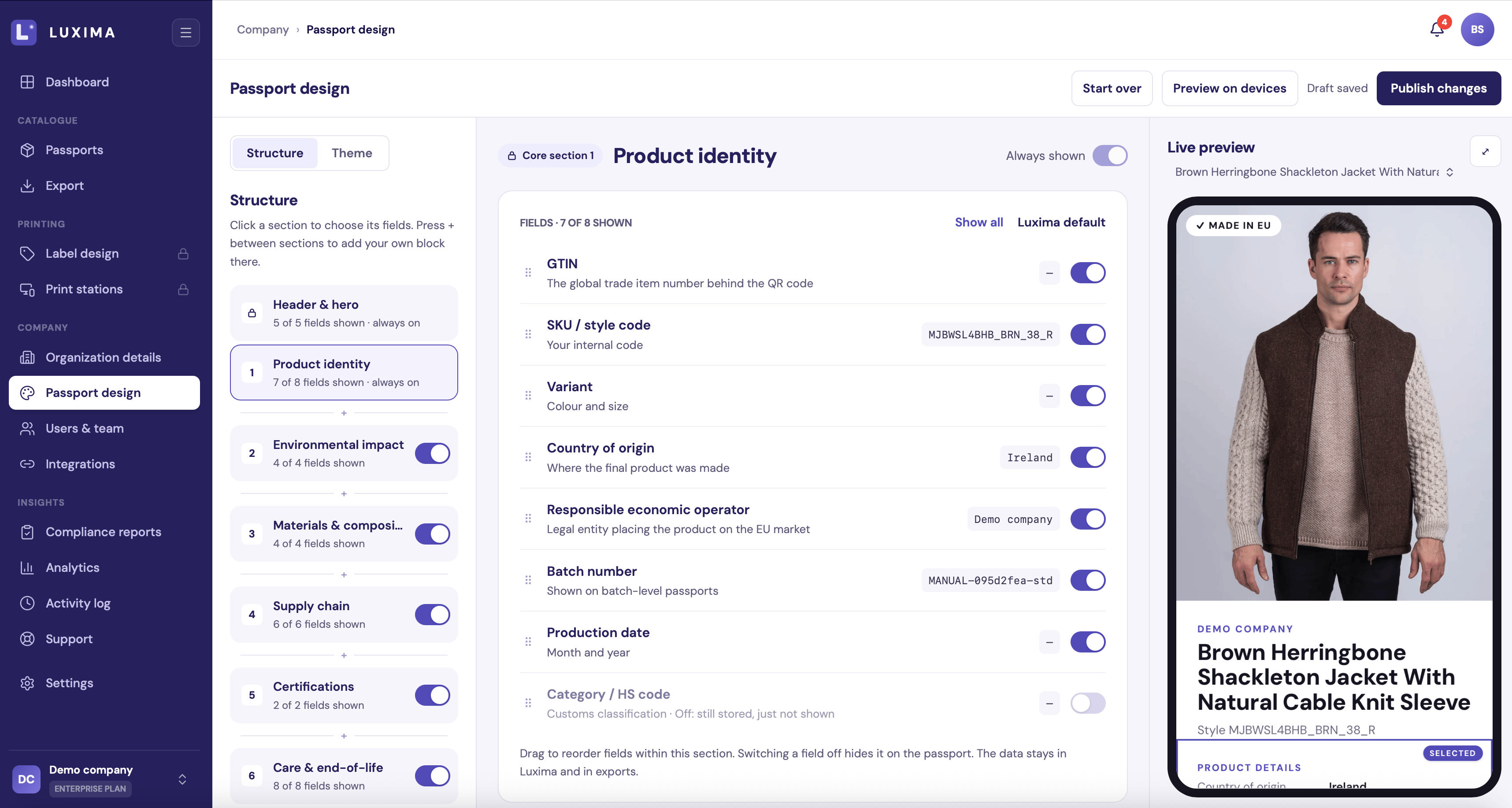
The Structure side with the Product identity section selected
Core sections
Every passport has eight core sections, always in this order:
Core sections cannot be moved or deleted. Hiding a section only removes it from the public page. Its data stays on your products and in your exports, and comes back when you switch the section on again.
Change a section
Click a section to open its settings. The preview marks the section you selected.- Fields. Switch individual fields on or off. Each field shows what it means and, where there is one, its value on the product in the preview. In some sections you can also drag fields into a different order. Show all switches everything on, and Luxima default goes back to the standard set. A field you switch off is hidden on the passport. Its data stays in LUXIMA and in your exports.
- Section title. Up to 40 characters. Use the default restores LUXIMA’s wording.
- Headline. Up to 80 characters. If you leave it empty, LUXIMA writes a headline from each product’s data. A headline you type is the same on every passport.
- Layout of this section. Stacked tiles, Two columns or Compact list.
Add your own blocks
Custom blocks let you add content that is the same on every passport, such as your brand story or a repair guide. Press + between two sections to add a block there. Blocks can go anywhere between Product identity and the Footer. You can have up to 6.
To manage a block:
- Drag it, or use the arrow keys, to move it.
- Hide takes it off the passport without deleting it.
- Remove deletes it. Click Undo in the message that appears if you change your mind.
Footer
The footer holds your company details. All of them are optional.- Company details: website, email, phone and address.
- Social media: Instagram, Facebook, LinkedIn, TikTok, X, YouTube and Pinterest.