

Anyone in your team can open this page. Changing the plan, the card or the billing details needs an Owner or Admin.
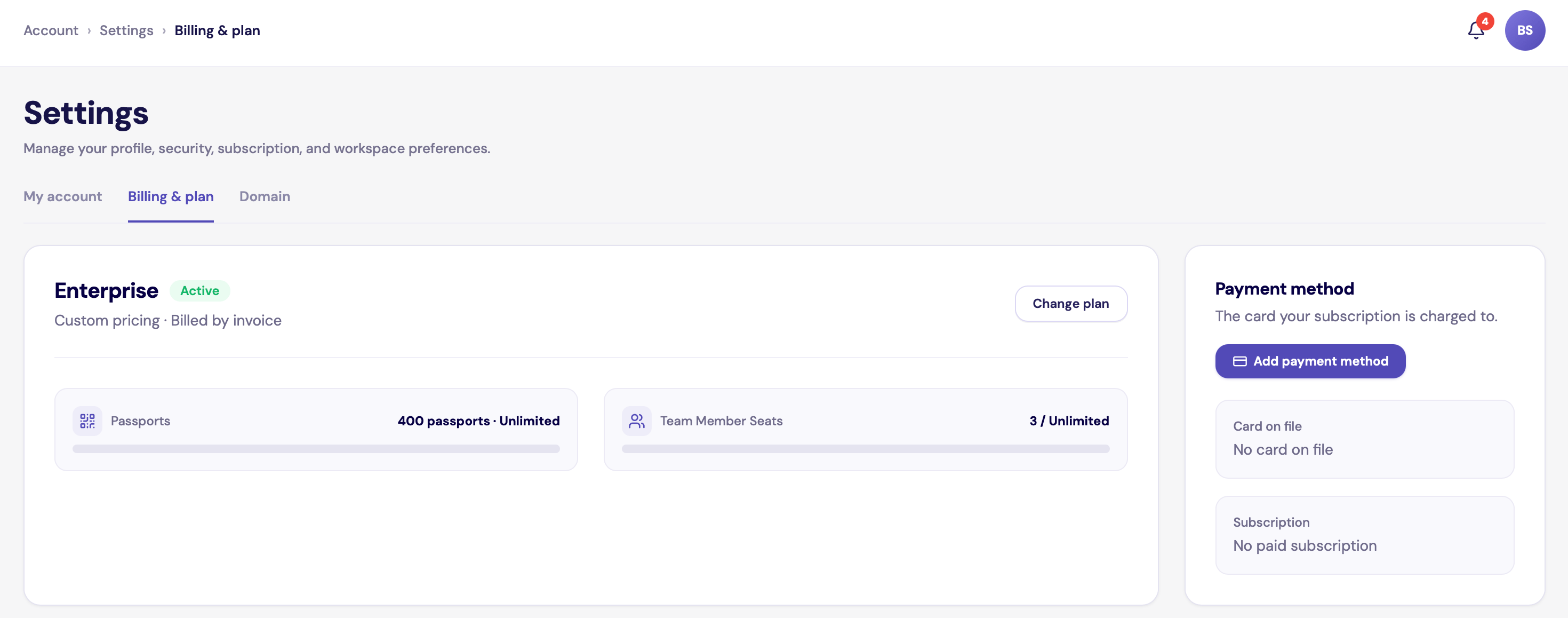
Billing & plan for a company on Enterprise
Your plan and usage
The card at the top shows your plan, its price and its status: Trial period, Active or Payment past due. Below it:- Passports: how many you use out of your plan’s limit, and how many are paused. Choose active passports lets you decide which ones stay active when you are over the limit.
- Team Member Seats: how many seats you use. Pending invitations count.
Add or replace your card
1
Open the form
Under Payment method, click Add payment method, or Update payment method if you already have a card.
2
Enter your billing details
- VAT number
- Billing address. Tick Billing address is the same as the company address to reuse the address from Organization details.
3
Enter your card
Fill in the card form and click Save card. If a payment is due, the button shows the amount and charges it straight away.
- Only cards can be saved.
- There is one card per company. A new card replaces the old one.
Prices, VAT and invoices
- Plans are billed monthly, in euros. Prices are shown excluding VAT.
- VAT is worked out from your VAT number and billing address. For businesses in other EU countries with a valid VAT number, the invoice shows VAT as reverse charged.
- The Payment method card shows your next payment: the amount, the VAT and the date.
- Your VAT number and company name appear on every invoice. Keep them up to date in Organization details.
- If you need a copy of an invoice, contact support.
- Add-ons such as label printing are billed on the same invoice as your plan.